Most parents do not notice the imbalance until it becomes the story.
One child often ends up with more memories. Not on purpose. Just over time.
Family photo libraries drift quietly. The easy moments get captured, one child gets more camera time,
and months later the archive feels uneven in a way no parent intended.
It starts small
A birthday streak, a new hobby, a baby phase, or one child simply being easier to photograph.
It compounds fast
A few extra moments each week turn into a memory record that no longer feels balanced.
It is emotional
Parents are not looking for a better gallery. They want every child to feel seen.
Sample family balance view
SiblingSync makes the imbalance visible before it becomes permanent family history.
Emma46%
Noah31%
Lily23%
This is the moment most parents realize the camera roll has been drifting longer than they thought.
The Solution
SiblingSync turns a chaotic camera roll into a calm fairness system.
It does not just organize photos. It shows where balance is drifting and helps you correct it privately.
Pillar 1
Smart Organization
Automatically group photos by child so each memory stream is easy to find, review, and clean up.
Pillar 2
Harmony Score
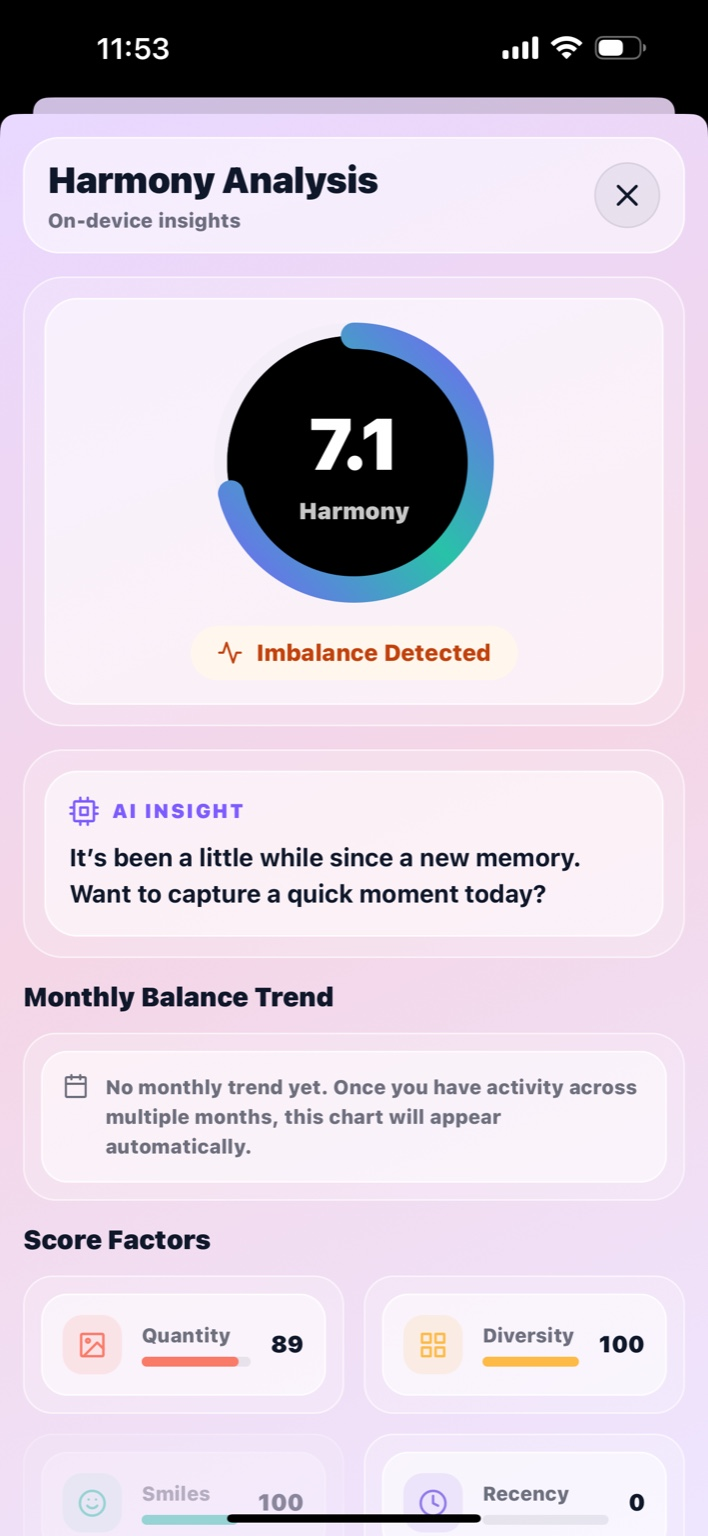
See balance across siblings, spot drift early, and understand who has been missing from the story lately.
Pillar 3
Private by Design
Everything stays on your device so the insight feels intimate, safe, and under your control.
Trust
Your photos never leave your device.
SiblingSync is built for families who want insight without surveillance.
No cloud storage.
Originals stay in your phone's photo library, not on our servers.
No tracking.
SiblingSync is not built around ads, cross-app tracking, or attention harvesting.
No selling data.
Family memories are not a business model.
Local AI only.
Face detection and organization features run on-device.
Critical Clarity
Important: Your photos are your responsibility.
This builds trust because it tells parents the truth up front, before there is any chance of confusion.
What SiblingSync does not do
No original backup SiblingSync does not store or back up your original photos.
Originals stay on your device Your phone's photo library remains the source of truth.
Deletion can be permanent If you delete originals from your device photo library, they may be permanently lost.
What you should do instead
Keep your own backup plan Use the device backups or cloud photo backups you already trust.
Use ZIP Export when needed Export is the only backup mechanism SiblingSync provides for its local organization data.
Review before deleting Treat originals and exports as separate responsibilities.
Plainly stated: SiblingSync helps you organize and rebalance memories, but it does not replace your family's backup system.
Product Walkthrough
How SiblingSync works in real life.
A calm flow from import to insight, using the product screens parents will actually see.
Step 1
Import photos
Bring your family library into view so you can finally see each child's memory stream side by side.
Step 2
Sort with a swipe
Confirm, skip, and tidy assignments quickly without losing your place.
Step 3
See the Harmony Score
Spot drift across siblings, understand the gap, and decide what deserves attention next.
Step 4
Get gentle insights, keep everything local, and export when you want a backup of the organization work you have already done.
Get insights and stay in control
SiblingSync keeps the flow private, understandable, and easy to revisit later.
Harmony
The emotional hook is not organization. It is visibility.
SiblingSync gives language to the drift most families never see until it feels too late.
Example Insight
"You've been capturing more of Emma lately."
Not guilt. Just a gentle mirror showing what the archive has been favoring.
Example Insight
"Noah has not had a featured moment in 5 days."
This is the kind of nudge that turns fairness into action before the gap widens.
Example Insight
"Your family balance is slipping this week."
A private reminder that helps every child stay visible in the story you are keeping.
Social Proof
Structured now for real beta voices later.
This section is intentionally shaped for founding-family feedback instead of generic praise.
Testimonial
"Parents love the insight because it shows what the camera roll has been hiding."
Reserved for a founding family after beta.
Testimonial
"Finally a fair memory system."
Reserved for the first parent who feels the emotional shift immediately.
Testimonial
"This is the first time a photo app has felt protective instead of extractive."
Reserved for a family who values privacy and clarity equally.
What SiblingSync Does
👶 Child-Specific Photo Vaults
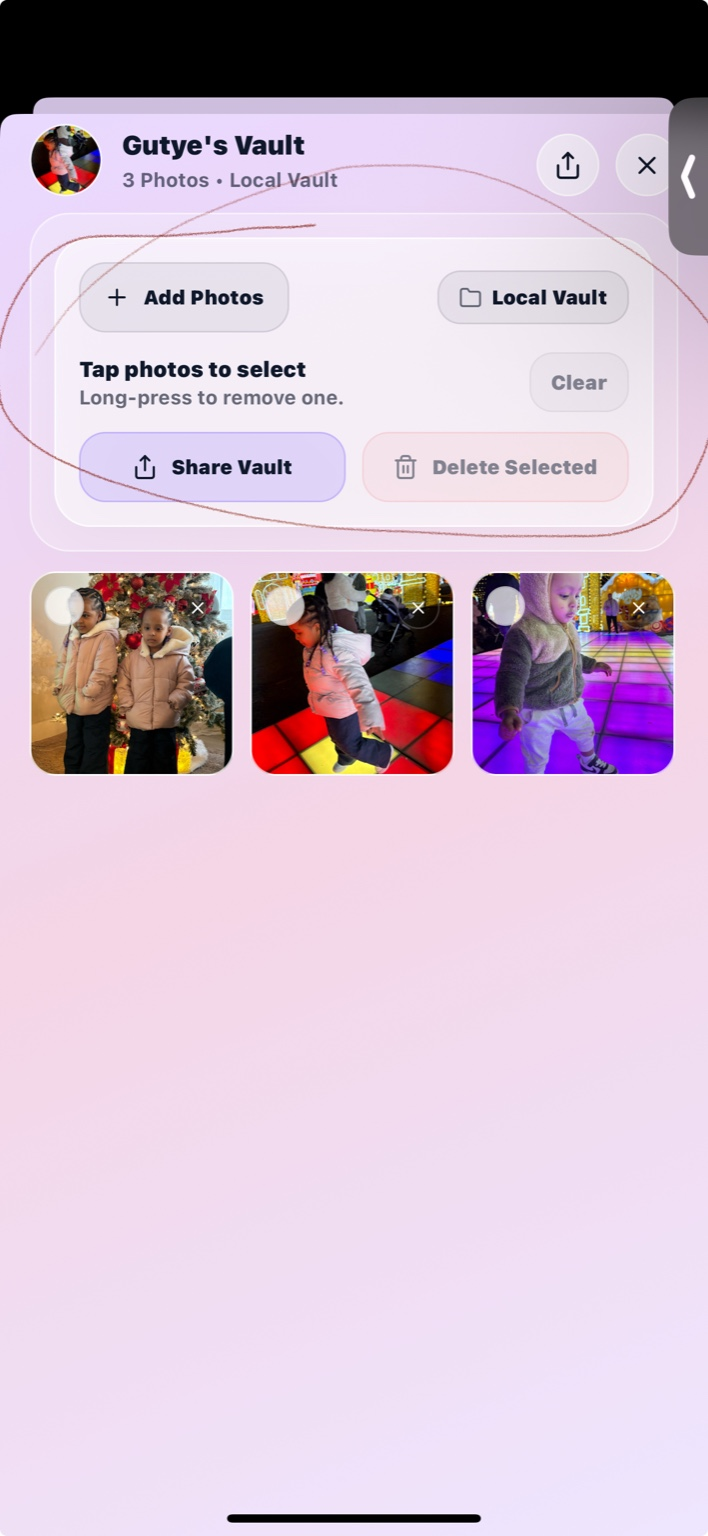
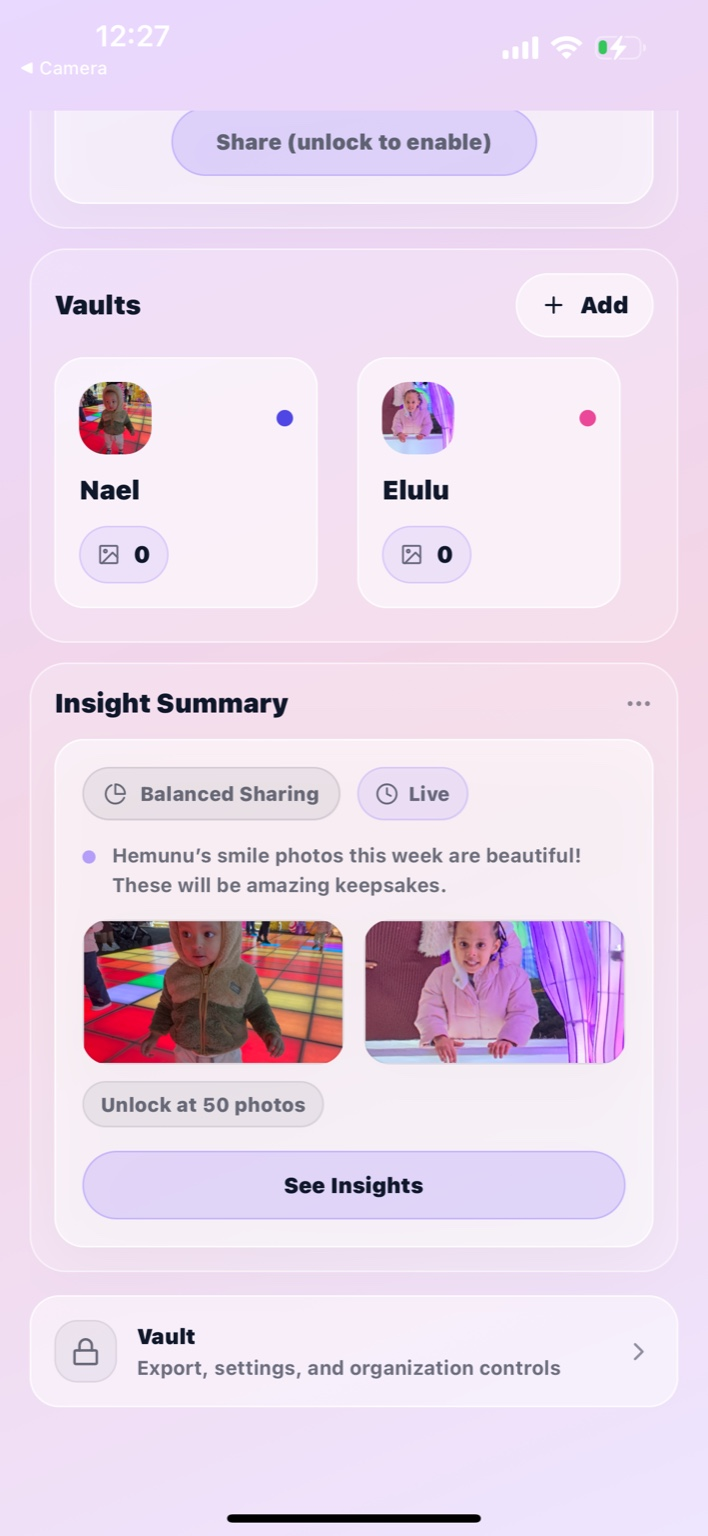
Automatically organize your family photos into separate vaults for each child — so every child’s memories are easy to find, view, and preserve.
🧠 On-Device Face Recognition
SiblingSync uses AI that runs entirely on your device to recognize faces and help sort photos — no uploads, no cloud processing. Your photos never leave your phone.
⚖️ Fairness Insights
See how photos are distributed across your children and identify unintentional imbalances early — before they become part of family history.
👉 Swipe-to-Sort Experience
A simple, intuitive swipe interface lets you quickly confirm or adjust photo assignments — sorting becomes fast, visual, and even enjoyable.
📷 Works With Large Photo Libraries
Designed to safely handle 20,000+ photos without freezing or crashing. Photos are scanned incrementally so your phone stays responsive.
🎨 Thoughtful User Experience
🌗 Light, Dark & Auto Modes
Choose Light, Dark, or Auto mode — SiblingSync adapts to your device and time of day for comfortable viewing.
💎 Modern, Calm Design
A clean, glass-inspired interface keeps focus on memories, not menus — designed to feel gentle, not overwhelming.
🛠️ Skip, Review, Resume
Skip photos, pause sorting, and come back later. Your progress is always saved — nothing is lost.
📦 Organization & Control
📊 Progress Awareness
See how many photos remain to be reviewed and where you are in the process — no guesswork, no pressure.
🔁 Backup & Restore
Export your child organization data for safe backup or device migration — without uploading your photos.
🧹 Memory-Efficient by Design
Temporary files are cleaned automatically and storage use is minimized — SiblingSync respects your device’s space.
Private by design, not as a feature tier.
SiblingSync is built like a diary, not a social network.
Your kids’ faces should not be someone else’s business model.
🔒
Local-Only Storage.
All photos, face data, and insights stay on your device. SiblingSync does not store, sell, or analyze your data on servers.
☁️
iCloud-Safe by Design.
Photos stored in iCloud are handled gracefully — SiblingSync works without forcing large downloads and adds originals only when needed.
✈️
Offline-First.
No internet connection required. Sort, organize, and view memories anytime, anywhere.
❤️ Why Parents Choose SiblingSync
Designed for families with multiple children
Built for fairness, not social sharing
Privacy-first from day one
No accounts, no ads, no data selling
Founding Families
Founding Families Beta
Answer 10 quick beta questions so we can improve the product and build future case studies.
This is a clickable beta questionnaire for parents who want to shape SiblingSync early.
When you finish, your responses are packaged into a ready-to-send email draft for our research inbox.
Beta Questionnaire - 10 clickable questions
Your answers help us improve the beta, understand parent behavior, and gather the right insights for future pitch decks and case studies.
1 / 10
Thank you.
Your answers are ready to send to our beta inbox. Tapping the button below opens your email app with everything prefilled.
Send Responses
Start Here
Start balancing your family memories today.
SiblingSync is for parents who want calm organization, honest risk clarity, and private insights
that help every child stay seen.
The first edition of SiblingSync will roll out to just
100 founding families.
In exchange for early access, we’ll ask for your honest feedback
through short check-ins like this one, especially after you’ve had
time to really use the app.
Post-Use Check-in · 10 quick questions
If you’ve used SiblingSync for at least a week or two, tap the answer
that feels most true for your family right now. There are no wrong
answers — just real life.
1 / 10
Thank you.
This is the kind of feedback that will directly shape what we build next.
As a founding family, your experience helps us keep SiblingSync gentle,
useful, and truly private.
Want to be considered as one of the first 100 families, or have questions?
Email us at
support@siblingsync.app
Ready to drift into gentle harmony?
Move your cursor and guide the silk threads above into alignment.
When everything settles, your download panel will appear.